
Jun 10

How I use Siri – Productivity Siries Part 4

IMG_2454It seems as though I have my best ideas when I am driving.  That could be because I am usually listening to podcasts which inspire creative thinking.  With having gone over how to use Siri to send emails (Productivity Siries Part 3) today I want to share how I send emails to myself and create tasks with them in Outlook.

If you are like me, your email inbox serves as your to-do list.  An item that needs your attention stays in your inbox until you have responded, it then gets deleted or moved to a folder for safe keeping.  I have found this to be a potential recipe for dropping the ball on something if your inbox list becomes too long.

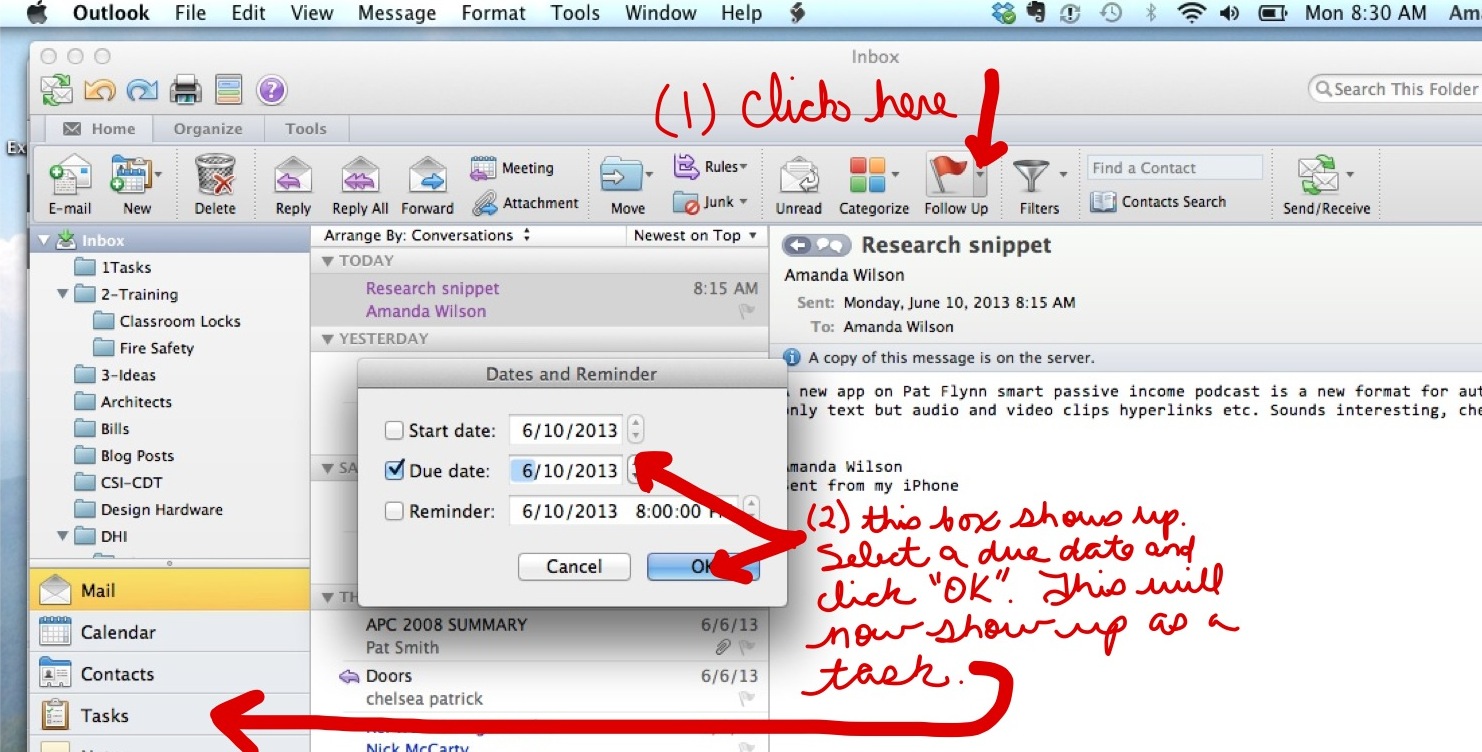
If I have an email that I know will take time or requires additional information to respond to, I will “flag” the email with a due date and move it to an appropriate folder.  It will then show up in my outlook task list.  I find this to be a better place to host my to-dos because they are arranged by a due date. Don’t delete the email until the task is complete, or it will delete the task as well.

Using Siri to set reminders (Productivity Siries Part 2) is good for some things but some items may have several steps or be part of an ongoing project.  In that case I have found that sending an email to myself with Siri’s help, then flagging it to show up in my task list works very efficiently.

The “subject” of the email is what will show up in your task list, so choose that carefully before you call on Siri. If you haven’t read my post on how to use Siri to send emails, I’ve linked to it above. The body of the email can contain further details.

For example I was listening to a podcast not too long ago that talked about a new app called “Snippet” which is a format for content creators. It was something that I wanted to research.  So I called upon Siri…. 

Once I arrived back in my office, I opened the email, flagged it with a future date for execution.  IMG_0204
Jun 05

What are they waiting for?

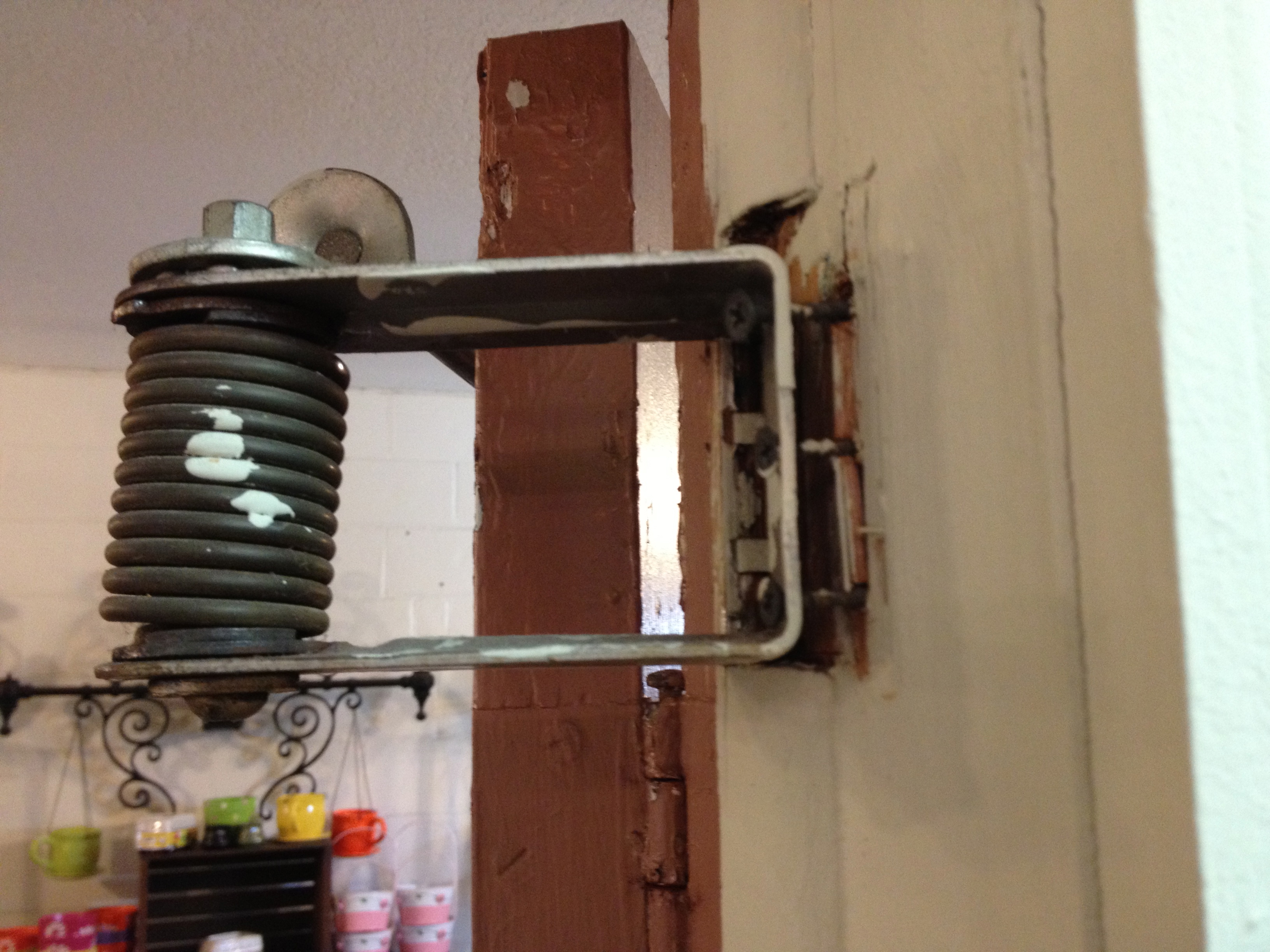
I don’t want to be standing near this door with these screws finally give.

IMG_2299IMG_2301

Jun 04

Thinking of Hiring?

OpenDoorAs the construction industry slowly rebounds in select parts of my territory a few of my distributors are considering hiring a new employee or two.

When it comes to hiring or wanting to be hired, our industry is different than most.  We have such a niche market that I’ve joked you never have to grab the classifieds if looking for a job, just the phone book.

Sometimes a company is so excited that a candidate has commercial door and hardware experience that they skip over important steps and hire someone too fast.

But I urge you to slow down and take the steps necessary to find the right fit for your team.  Knowledge is important, but in our industry attention to detail and organizational skills are crucial to the success of our businesses.  Finding a candidate with those qualities may take some time.

The good thing about our industry being small is that a potential employee’s history can be easily followed.  It always surprises me how little time a hiring manager takes to check references.  Check at least two references.  If you are only going to check one, don’t pick the current or last place of employment.  Skip to a previous employer.

Why? It’s possible that employer has a vested interest in making sure a particular candidate finds a new position.  Perhaps they are performing badly and they want them to move on without having to claim unemployment.

Another thing I would suggest is to have two interviews.  One in the office and one off site, maybe over lunch or coffee.  Seeing how a prospective employee interacts with the service industry can offer valuable insight into their character.

A more recent tactic is taking the time to check out a candidate’s social media accounts. Believe me, this shares a lot about their character!  Probably too much.  EHarmony is planning to launch a new employer/employee match service in the next 6 months.  They claim they can add a little science to the search to assist you in finding the right person for the job.  Use these new tech tools to help you find your desired employee.

There has been a lot of talk about companies being too quick to hire and too slow to fire.  Don’t let that be you.  Be patient and do the research.  Your staff is the most valuable tool in your arsenal.

Jun 03

How I Use Siri – Productivity Siries Part 3

I hope you were able to practice some of the tasks from last week without wanting to throw your phone across the room!

Today I will share how I send short email messages while I’m driving.  This took a little more time to learn to do.  Sending anything longer than one sentence was a challenge.  You have to know exactly what you are going to say before you call Siri to action.

My first attempts were quite frustrating and ended in a lot of failures.  My mind would go blank and Siri will not let you pause, not even a second. If you do, she thinks you are finished and cuts you off.   The trick is to keep them short.

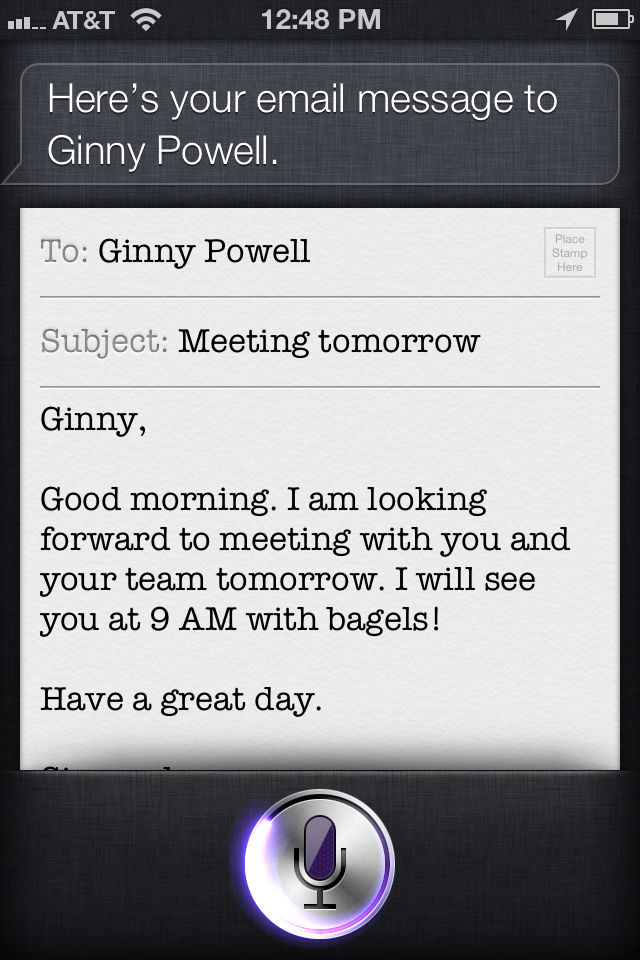
Here is an example of me sending an email to a customer to confirm an appointment for the following day.  

IMG_2034In the audio clip, you hear me snap the screen shot on the left so you can see that it worked!  I forgot to mention to Ginny that I was sending that email as an example and to ignore it.  Shortly after I sent it, I received an email back from here stating that she didn’t remember we had a meeting.  Oops, sorry Ginny.

My email was accurately sent while I continued to drive safely.  Don’t get discouraged, keep practicing this one.  I can now send longer emails with a higher success rate.

Next week I will cover how to use her to create tasks in Outlook.

May 31

Swapping my iPad for a Pulaski

IMG_2378Over the Memorial Day Weekend I had the pleasure of trading in my office tools for trail maintenance tools.  Volunteering for an Appalachian Trail Work crew is one of my favorite ways to relieve stress. And it is most effective.

I spent a full day working with the Konnarock crew on a trail relocation near the Fontana Dam shelter.  Swinging an axe to remove roots while relocating a trail will zap the stress right out of you.  Guaranteed! Oh, and the fact that there is little to no cellular service in and near the National Park is a nice bonus.


I was happy to trade my Macbook Pro, iPad and iPhone for a Pulaski, McLeod, and a hazel hoe for the day.

Pulaski

The Pulaski combines an axe bit with an adz-shaped grub hoe on a 36 inch wood or fiberglass handle. It is preferred by many trail crews for loosening dirt, cutting through roots, or grubbing brush because it is widely available and easier to carry than single-purpose tools. Unlike grub hoes or mattocks the Pulaski is a sharp-edged too, and should not be used in rocky soil.Hazel Hoe

Grub hoes of various weights are available and are good for building and repairing trail tread and for digging trenches to hold turnpike logs and waterbars. They usually come with a 34 inch handle and a six-inch-wide blade set at an “adze angle” and are maintained and used like a mattock. Grub hoes are not usually sharpened.

McLeod


The McLeod, with its large hoe like blade on one side and tined blade on the other is a forest fire tool common in America’s western mountain ranges. It was originally intended for raking fire lines with the teeth and for cutting branches and sod with the sharpened hoe edge. The McLeod is useful for removing slough and berm from a trail and tamping or compacting tread. It can also be used to shape a trail’s backslope.

Not only is the work that you do with these tools backbreaking, the tools themselves are heavy!  After just one day, every muscle from the top of my head to the bottoms of my feet was awake and talking.  Some were saying “hey, it’s been a while I thought you forgot I existed”.  Others were down right screaming “what the heck did you do to me!”.

With my busy schedule over the last couple of years, I haven’t been able to help out nearly as much as I’d like.  In lieu of week-long work trips I have volunteered for in the past, I’ve had to settle for a day here and there. My muscles are actually thanking me for that today.

Being off the cellular grid and working up a sweat is good for the soul.  Even if it’s just for a day. What do you do to rejuvenate?


May 30

Daydreaming About Your Exit Strategy?

Stressed Business Man“Do You Own a Business or a Job?” was the title of an informative article in the April issue of Doors & Hardware Magazine.  It was written by Jason Bader, the current principal of The Distribution Team, a firm that specializes in helping distributors be more profitable.

In the article, Jason teaches us that regardless of how long we intend to stay in business, our businesses should always be “sellable”.   A key test to determine whether a business is sellable is whether or not the business can function without you, the owner, playing a daily role in the operations.   He bids us to ask the question, can I go on vacation for one month without any noticeable drop in revenue?

OK, enough with the HAs and snorts. Let’s get serious. Do you just day dream about your exit strategy or can you envision it? Are you planning for it?

“The first step in creating a sustainable business is to become willing to delegate responsibility.  For self-professed control freaks, that is no easy task. Let’s face it: this is your baby.  It’s hard to let go.” 

Are you turning over more responsibilities to your team or are you afraid they will screw things up.  Are you creating an atmosphere where your employees are encouraged to learn and grow, both professionally and personally?  Do you invest in their education? Or do you manage from a state of fear that they may quit and work for your competition?

This may lead to the question are you a manager or a leader?  There are many opinions on what makes the difference between a manager and a leader.  The general consensus is a manager’s focus is on tasks, a leader’s focus is on people.

In order for your business to be sustainable and thus sellable, you must learn to be a leader not a manager.  Jason reminds us that this is not always an easy set of skills to acquire.  Jason offers his services,  you can find him at The Distribution Team.

There are endless resources to help you start on the path of learning this crucial skill.

Books I recommend by Dr. Stephen Covey, they are timeless and a must read.
7 Habits of Highly Effective People
The 8th Habit – From Effectiveness to Greatness

There are also endless free Podcasts on leadership available through iTunes and other platforms.  For example, I enjoy the Dave Ramsey’s EntreLeadership Podcast.

Yes, it’s your baby, but don’t worry about empty nest syndrome.  When your baby can stand on its own you will be full of pride and able to take that month long vacation!

May 29

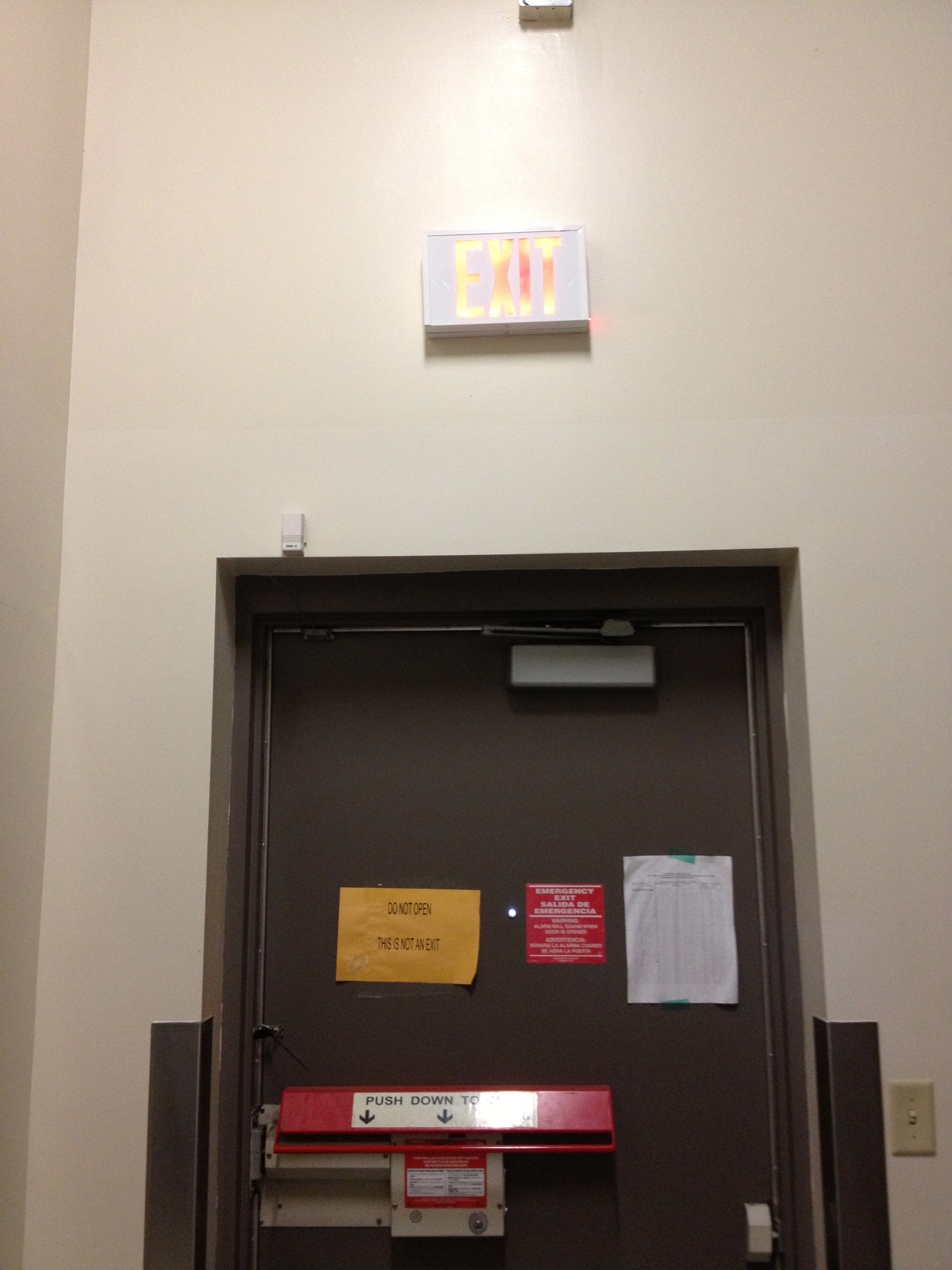
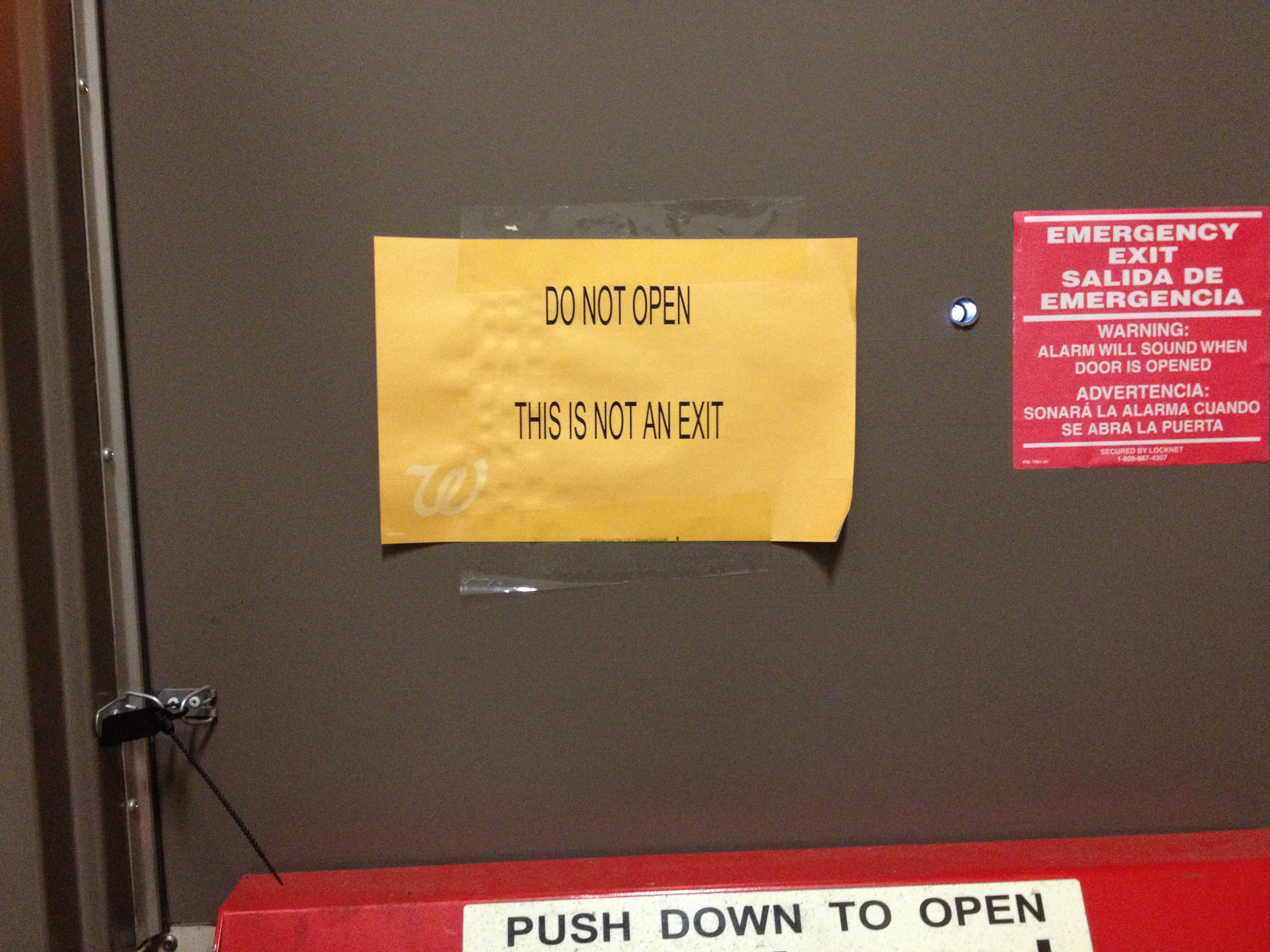
An Exit or Not an Exit?

To Be An Exit or Not To Be An Exit, that is the question!

IMG_2319

IMG_2320


May 28

What is a Hardware Mullion?

What is a hardware mullion?

IMG_2090In the commercial door industry, a hardware mullion is a vertical element that is used with a pair of doors.

In an active x inactive application when dealing with a pair of doors, the inactive door is most commonly equipped with flush bolts and a strike to receive the latch from the active door.

When both pairs of doors need to be active there are several options.  Some of which are surface mounted or concealed vertical rod exit devices.  In high use areas, the rods on the surface mounted option are known to take a beating while the concealed option can be a challenge to service and maintain.

Another option is two rim exit devices with a mullion.  This seems to be the best choice for security and the ongoing maintenance of the opening.  The mullion sits “behind” the doors and provides a place to mount the strikes for the rim exit device latches.  In essence, the doors operate as two single leaves versus a pair.

The mullion can be a fixed element to the hollow metal frame or a separate piece of hardware.   Having a hardware mullion that is removable allows the entire width of the paired opening to be used when needed, like in the case of moving large equipment.

In lieu of a mullion that gets screwed into place, consider using a keyed removable mullion.  This application ensures an effortless and secure re-installation.

For more information, check out Design Hardware’s Keyed Removable Mullion.

May 24

Happy Memorial Day Weekend!

shutterstock_139323398The brave die never, though they sleep in dust: Their courage nerves a thousand living men. -Minot J. Savage

Let’s remember to honor those men and women who sacrificed their lives so that we can enjoy all the freedoms this country has to offer.

I sincerely hope you enjoy your upcoming three day weekend. It should be the kind of weekend that makes all your hard work during week worth it.

I will be thoroughly enjoying my Memorial Day weekend in the Smoky Mountains volunteering 16 hours of labor relocating a section of the Appalachian Trail.  Next Friday, I will tell you all about it.


May 23

Mesker Kerf Frames

Did you know Mesker has Kerf Frames?

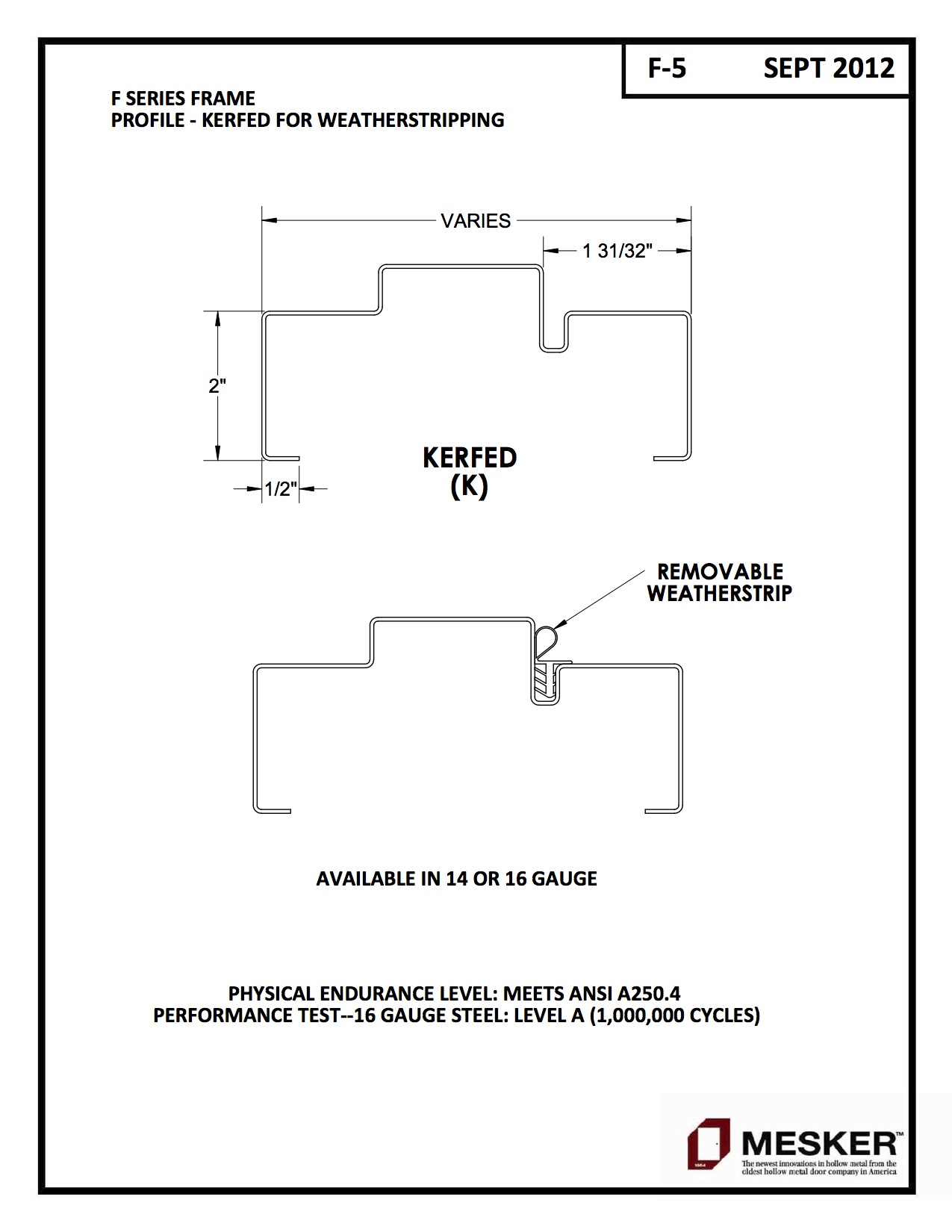
IMG_2071With Mesker Kerf Frames you no longer need to worry about stick-on weatherstripping not sticking, or taking the time to install the screw-on type of weatherstrip.

Weatherstripping is an integral part of our Kerf Frame, providing a better seal for energy conservation and life safety compliance.

Rubber weatherstripping fits snugly into a kerfed slot on both our “F” series masonry profile and our “FDJ” Drywall series frames.

F-5 F SERIES PROFILES 3 OF 6These frames would be great for both interior and exterior openings.  If you have any questions, please contact me or Mesker and we would be happy to help.

May 21

Design Hardware 116 Closer Makes the Grade – and more!

Design Hardware is proud to announce that their 116 Series Door Closer has reached 3.475 million cycles.  ANSI Grade 1 requires closers to reach 2.5 million cycles.  That means our closer makes the grade, and then some.  A 30% “and then some”.

This video shows our closer performing time and time again as our cycle count test continues. You may have to be a little “doorkey” to appreciate it!

For more information on the Design Hardware 116 Closer and other high quality products visit our website.


May 20

How I Use Siri – A productivity Siries part 2

Last Monday I went over some very basic ways to get acquainted with Siri. Today, I will get a little more specific on how I use this technology to remain productive while I am on the road for hours at a time.

I am using audio clips for two reasons. One, I think it’s important for you to hear Siri actually working.  You will find it isn’t quite as easy as in the commercials. Getting Siri to respond accurately the majority of the time has taken some practice. I finally found a cadence that she “likes” which you will be able to hear in the recordings. Secondly, I love to learn new things and it was a challenge to learn how to post audio clips in my blog. I hope you find them useful.

The first task I will cover in this post is how to use Siri to schedule reminders for you.  Say you are on the road and you just had a phone conversation that resulted in something you need to remember to do.

In the olden days (heehee) it would look something like this…knee on the steering wheel, shoulder crunched up to the ear to hold the phone, one hand holding a pen, the other a notepad.  One eye on the road (hopefully) and the other on what you are writing.

Now, it can be much safer for you to remember to do the necessary task.  I would just click and hold the remote mic button and …

On the date and time I specified, my phone alarm would alert me and remind me of the task.

shutterstock_137071307If the aforementioned phone call resulted in a new appointment, Siri can take care of that for you, as well. Again, tap and hold the remote mic button…


But, say you are trying to set up an appointment and already have one scheduled at that same time creating a conflict.  Don’t worry…

All that accomplished with my hands and eyes on the road. Brilliant!

This “Siries” may be even more helpful considering it will be illegal to text and drive in Florida very soon.

Using Siri can be frustrating at times, but like many things it is a communication issue. You have to learn each other and it gets better with use, trust me and forge ahead.

Go ahead and practice a little bit.  Next week we will tackle emails.

Older posts «

» Newer posts